Frida Server Setup (No Objection)
Frida Server Setup (No Objection)
Problem
- I recently moved my pentesting distro around and needed to re-setup my mobile pentesting setup.
- During this, I found the frida versioning mismatch very hard to deal with.
- After reaching out to some mobile bug bounty folks, they mentioned there is a way to run mobile dynamic analysis with just Frida, no Objection.
- Here is how I went about it for anyone else in this struggle bus :)
Requirements Before Moving Forward
- python is installed (recommend venv setup for debugging purposes)
- Android Studio/Android Emulator installed with a rootable device (I use a Nexus 5X on x86/64 for nostalgia from my network analytics testing days)
- Android Emulator is proxying to Burp Suite.
Solution
- After creating a new vritual env for python, I checked the version of
frida-toolsthat was installed. This way I could match thefrida-serverdownload from github.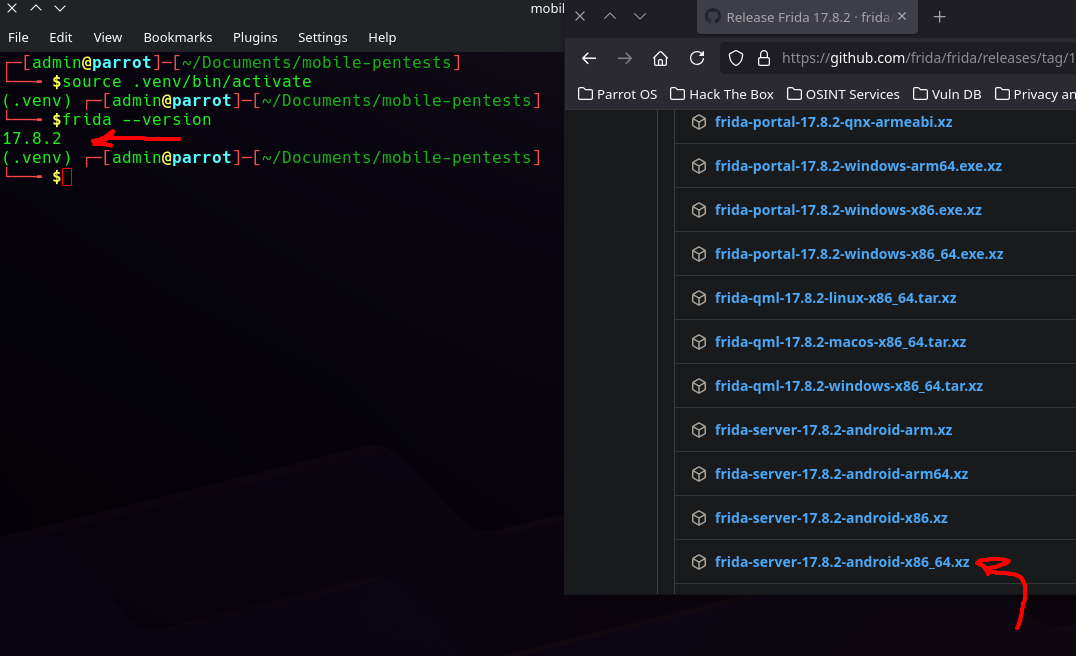
- Then I renamed the file to
frida-serverand dropped it on the android device in/data/local/tmpdirectory.
- After this, we will need to push the crt file exported from Burp Suite to the device in the same location
/data/local/tmp. - In a separate terminal tab, launch an
adb shellthensuto become root. After this navigate to/data/local/tmpand launch the frida-server using./frida-server. It should appear to be stalled out waiting, but it is actually working.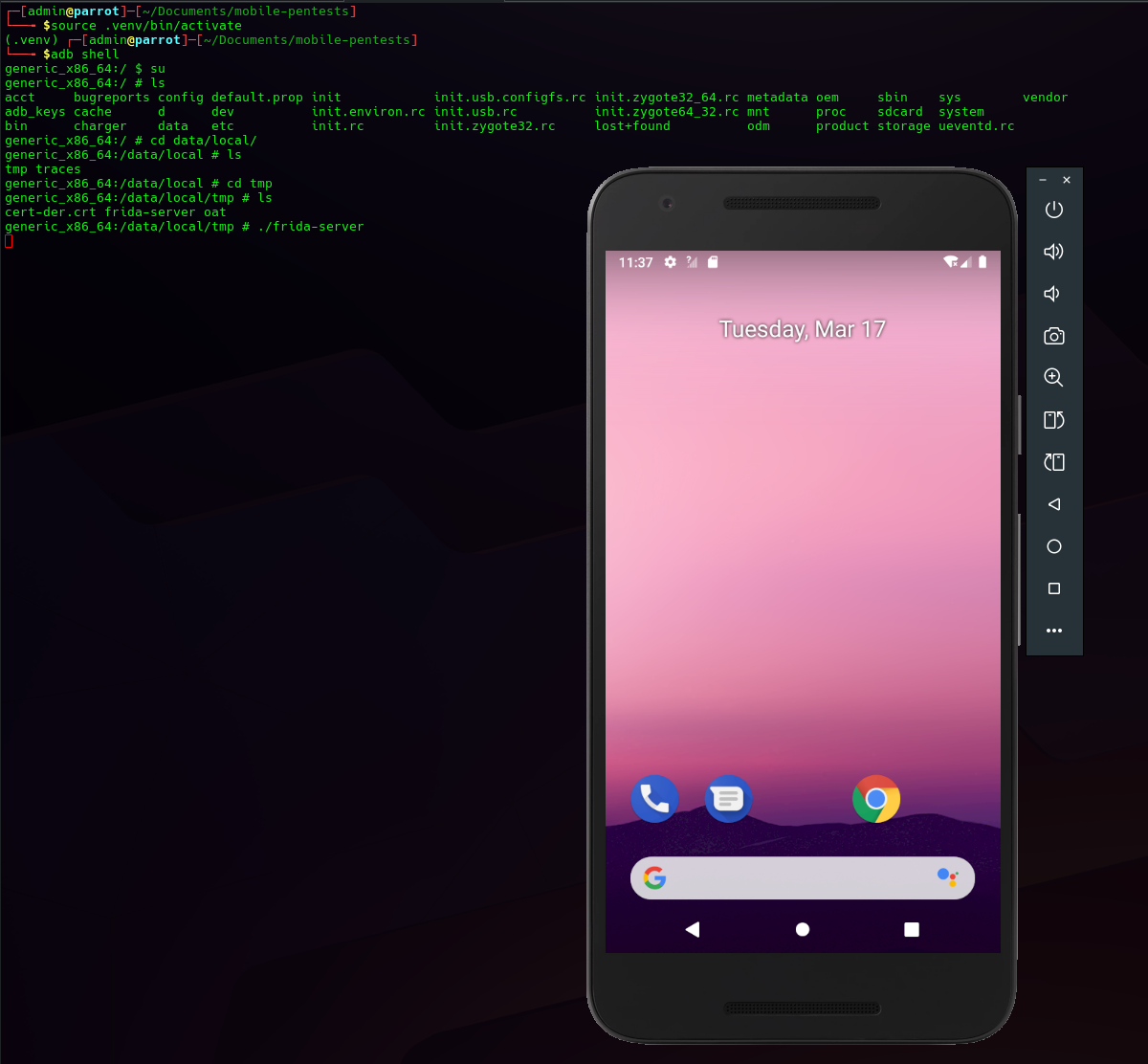
- In a new terminal window find out the bundleIdentifier (usually has a pattern of
com.foo.bar). The command for this isfrida-ps -Uand you can pipe to grep for the name of the app to narrow down the names returned.
- If this does not work, you can also do
adb shell. Once in shell, runpm list packages | grep appName. I had this issue with injuredAndroid since the bundle identifier fromfrida-pswas InjuredAndroid, but thepm list packagesgave the correct bundle identifier ofb3nac.injuredandroid. - Once this is setup and you have the bundle identifier, go ahead and launch the following command
frida -U --codeshare pcipolloni/universal-android-ssl-pinning-bypass-with-frida -f <bundleIdentifier>to launch against Frida Server and get a specific benefit (for example SSL Pinning bypass).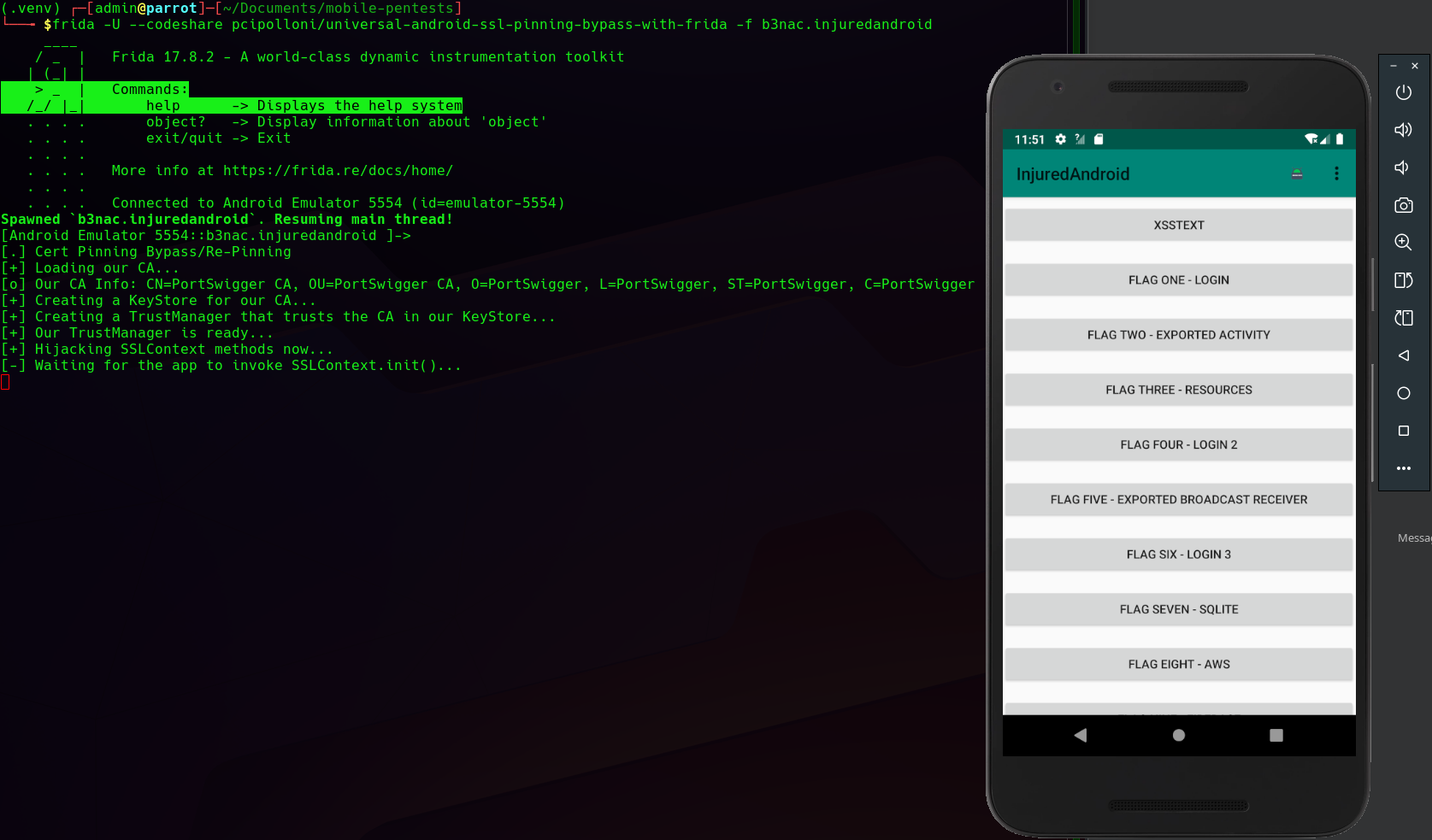
- More commands you can use for Frida can be found at this Link
This post is licensed under CC BY 4.0 by the author.